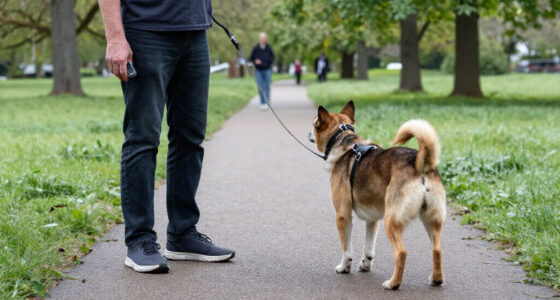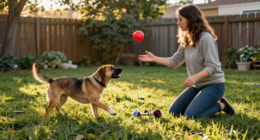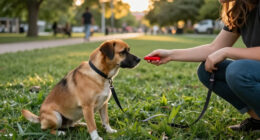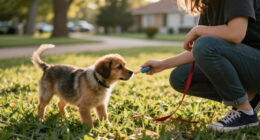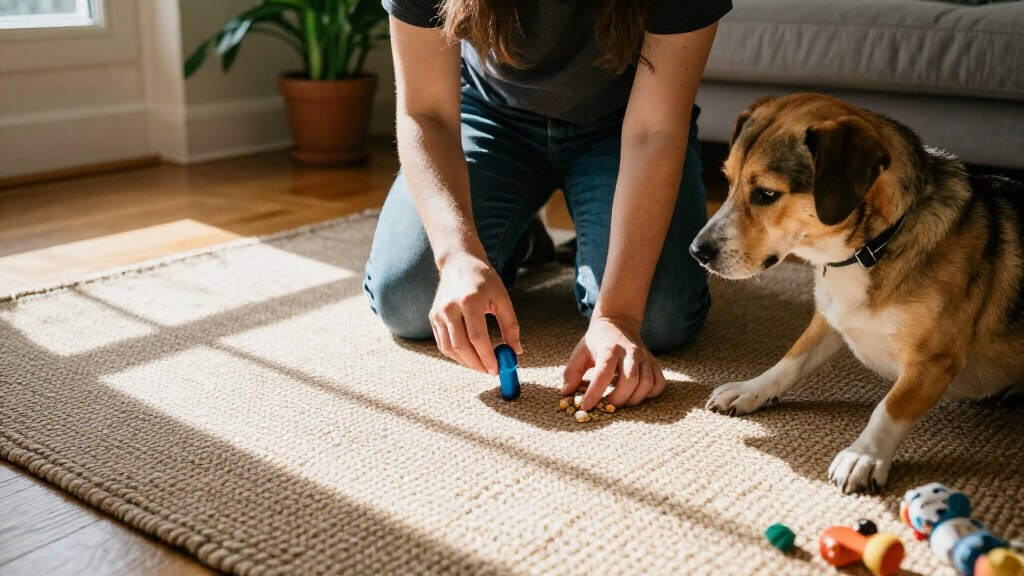
Use a clicker to mark the exact moment your dog performs a behavior you want, then give a reward. This beginner guide shows you how to prepare treats, teach the click-reward connection, and use it to train a simple behavior such as sitting. Plan for short sessions of about 3-5 minutes, with several sessions over one to three days. Your dog does not need prior clicker training.

Get pet supplies delivered free with Prime
- Fast, free delivery on millions of items
- Prime Video, Amazon Music and more included
- Member-only deals all year
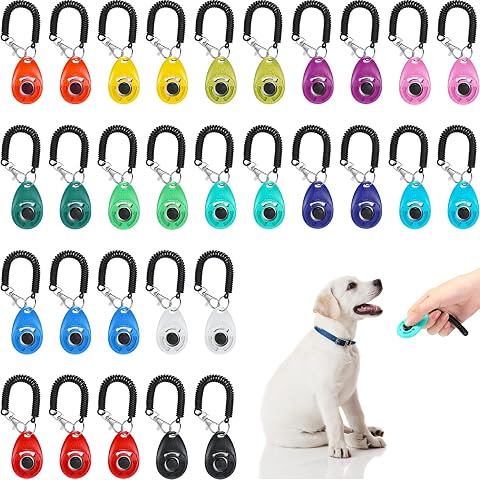
Kigeli 30-Piece Dog Training Clicker Set with Wrist Strap, Multicolor
- ✔ Brand: Kigeli
- ✔ Quantity: 30 clickers
- ✔ Material: Metal

30-Piece Pet Training Clicker Set with Wrist Straps
- ✔ Quantity: 30 clickers
- ✔ Colors: 15 colors, two of each
- ✔ Material: Plastic and iron

HoAoOo Dog Training Clickers with Wrist Straps and Keyrings, 2-Pack
- ✔ Brand: HoAoOo
- ✔ Quantity: 2 clickers
- ✔ Colors: Black and blue
Difficulty: Beginner | Time: 3-5 short sessions over 1-3 days
What You’ll Need
Tools & Materials:
- A dog training clicker, or a consistent marker word such as “yes”
- Small, soft treats your dog enjoys
- A quiet, familiar training space
- A treat pouch or container
Knowledge:
- Basic ability to notice when your dog performs a behavior
- Awareness of your dog’s food sensitivities and comfort
Choose treats small enough for your dog to eat quickly. If your dog has a prescribed diet, allergies, or food restrictions, use approved rewards. Keep the clicker out of reach when it is not in use, and avoid clicking close to a dog who is frightened by sharp sounds. A marker word can be used if the clicker sound worries your dog.
Kigeli 30-Piece Dog Training Clicker Set with Wrist Strap, Multicolor
Kigeli earns our top spot by combining 30 metal clickers with wrist straps and a stated loud, clear sound. That mix is useful when a household, class, or group of handlers wants clickers available in several places, rather than passing one device around. Its 14-color assortment can also make it easier to assign or identify clickers, while the metal construction is more clearly described than the materials in the HoAoOo two-pack.Compared with the other 30-piece set, Kigeli gives us a stronger stated case for durability and sound clarity, whereas the plastic-and-iron alternative specifies a large button and keychain loop. Those details could make the alternative easier to locate or press quickly, depending on a handler’s preference. Kigeli’s tradeoff is bulk: 30 pieces may be excessive for a single owner, and the listing does not provide a measured sound level or explain how the sound compares across environments. Handlers seeking a softer cue should not assume that “loud” will suit every dog.For broad use across dogs and other pets, Kigeli presents the most complete combination in this lineup. Its wrist strap supports a ready-to-hand routine, but the lack of a keyring detail means it is not as explicitly configured for clipping to keys as the HoAoOo pair or the other bulk set.
Pros:
- Thirty pieces support multiple handlers, locations, or replacements.
- Wrist straps help keep a clicker within reach during training.
- Metal construction is specified and described as rustproof.
- The listing explicitly describes the sound as loud and clear.
Cons:
- A 30-piece set may add unnecessary storage and extras for one handler.
- No measured sound level is provided for dogs sensitive to sharp cues.
- The listing does not mention keyring loops for clip-on carrying.
Best for: Families, trainers, or group classes that want many individually available clickers with wrist straps and described metal construction.
Not ideal for: Solo handlers who want only one or two clickers, or owners who need a specifically quiet cue or a measured sound level.
Bottom line: We recommend Kigeli for shared training setups that benefit from many wrist-strapped clickers and clearly stated metal construction.
“We recommend Kigeli for shared training setups that benefit from many wrist-strapped clickers and clearly stated metal construction.”
30-Piece Pet Training Clicker Set with Wrist Straps
This set is the most access-focused option among the bulk packs. Each clicker is described with a large button, elastic wrist strap, and keychain loop, giving handlers more than one way to keep a marker close by. Its 30 pieces are split across 15 colors, two of each, which offers a simple way to distinguish clickers assigned to different people or training areas. Compared with Kigeli, it has more colors and explicitly adds a keychain loop, while Kigeli gives a clearer claim about rustproof metal and a loud, clear cue.The large button may appeal to handlers who want an obvious press target while watching a dog rather than looking down at their hand. The construction is listed as plastic and iron, which differs from Kigeli’s all-metal description, and no sound level is specified. That leaves the key training question of cue volume less certain than with Kigeli, even though Kigeli also lacks a measured rating. This set is a better fit when access features and color pairing take precedence over a clearly stated sound profile.Compared with the HoAoOo pair, this pack provides far more spares and wider distribution across handlers, but it demands more storage and may be more than a beginner needs. The listing also describes use for multiple pets, yet our recommendation is based on the handling features rather than any particular training method.
Pros:
- Thirty clickers provide capacity for sharing or replacements.
- Fifteen colors with two of each can help keep sets organized.
- Large buttons offer a clearly described press target.
- Elastic wrist straps and keychain loops provide two carrying options.
Cons:
- Plastic and iron construction may not suit buyers seeking metal throughout.
- The listing does not specify sound level or sound character.
- The quantity may be cumbersome for a single handler.
Best for: Handlers or small training groups who want a large supply, large press buttons, and both wrist and keychain carry options.
Not ideal for: Buyers who prefer a small kit, want all-metal construction specified, or need more detail about the click’s volume.
Bottom line: We’d choose this set when button access, color pairing, and flexible carrying matter more than detailed sound or material information.
“We’d choose this set when button access, color pairing, and flexible carrying matter more than detailed sound or material information.”
HoAoOo Dog Training Clickers with Wrist Straps and Keyrings, 2-Pack
HoAoOo is the simplest choice for owners who want to start with a pair rather than store a bulk set. The two clickers in different colors make it possible to keep one in a second training location or give a second handler their own marker. Both include stretchable wrist straps and keyrings, a combination that makes this pack more explicitly portable than Kigeli’s wrist-strap-only description.Its main advantage is restraint: compared with either 30-piece set, it asks the buyer to choose just two clickers and offers clear carrying details, including a strap that stretches from 16 to 25 centimeters. The tradeoff is that the listing says little about construction and nothing specific about sound level. Kigeli describes metal and a loud, clear click, and the other bulk set calls out its large button; HoAoOo leaves both of those comparison points unresolved.For a beginner teaching a consistent marker-and-reward routine, the pair can be enough to establish a clicker in the places training happens. We would look elsewhere if a group needs many matched clickers, if a specific button size matters, or if the dog is sound-sensitive and the owner needs a better-described cue. Its carrying features make it convenient, but the available description does not establish durability beyond the included straps and keyrings.
Pros:
- Two clickers make a manageable starter set.
- Black and blue colors help distinguish the pair.
- Stretchable wrist straps are specified from 16 to 25 centimeters.
- Keyrings provide an additional way to carry or attach each clicker.
Cons:
- Material and construction are not specified.
- No sound level or sound character is described.
- Two pieces offer fewer spares and sharing options than the bulk sets.
Best for: New dog owners or solo handlers who want two portable clickers for separate locations or a second trainer.
Not ideal for: Training groups that need bulk quantities, or buyers who want specified materials, button size, or sound level.
Bottom line: We recommend HoAoOo for a beginner who values a compact, portable pair and can accept limited construction and sound details.
“We recommend HoAoOo for a beginner who values a compact, portable pair and can accept limited construction and sound details.”
As an Amazon Associate we earn from qualifying purchases.
Before You Start
Pick a quiet location with few distractions, and have the treats ready before bringing your dog into the session. Clickers can sound loud in a small room. If your dog startles, mutes the clicker by holding it inside a pocket or switch to a calm marker word. Keep sessions brief and stop while your dog is still interested.
A click is a marker, not a command or a reward by itself. Every click must be followed promptly by a treat, even if you clicked by mistake. Do not use the click to call your dog or to get attention.
Step-by-Step Instructions
Step 1: Prepare the clicker and rewards
Place 10-15 small treats in a pouch or container and hold the clicker in one hand. Sit or stand where your dog can see and hear you. Test the click once while your dog is nearby, then watch for a reaction. If the sound causes your dog to flinch, move the clicker farther away, soften the sound inside a pocket, or use a marker word instead.
Tip: Avoid reaching over your dog or waving the clicker near their face. Keep your movements calm.
Check: Your dog remains comfortable in the space and can take a treat without rushing or showing distress.
Step 2: Pair each click with a treat
Click once, then give your dog one treat within about one second. Repeat the same sequence 10-15 times: click, then treat. Do not ask for a behavior yet. Keep the click and treat sequence steady, and pause briefly between repetitions so your dog can eat and reset.
Tip: The order matters: click first, treat second. Do not click repeatedly while your dog eats.
Check: After several repetitions, your dog begins to look toward you or the treat pouch immediately after hearing the click.
Step 3: Check that the sound predicts a reward
Pause for a few seconds, then click once while your dog is calm. Watch what your dog does. If your dog turns toward you, looks expectantly at the treat pouch, or approaches for a reward, give a treat. If there is no clear response, repeat a few click-and-treat pairings and check again later.
Tip: Do not withhold the treat as a test. The purpose is to check your dog’s response, not to see whether they will work without payment.
Check: Your dog responds to the click with attention or anticipation of a treat, without appearing startled.
Step 4: Choose one easy behavior
Select a behavior your dog already offers or can perform comfortably, such as sitting. Keep your hands still and wait for your dog to sit naturally. The instant your dog’s rear touches the floor, click once, then deliver a treat. If you prefer to teach a hand signal later, add it only after your dog understands the behavior.
Tip: Do not push your dog into position. If your dog does not sit, take a short pause and try again in a quieter setting.
Check: The click occurs at the moment the behavior happens, and the treat follows promptly.
Step 5: Repeat the behavior in short sets
Wait for your dog to finish the treat, then give them a moment to reset before waiting for another sit. Click and reward each correct repetition. Practice about five to eight repetitions, or stop sooner if your dog loses interest. End the session with a calm break rather than continuing until your dog is tired or frustrated.
Tip: If your dog stands up before you can click, wait for the next sit instead of clicking late. A late click can mark the wrong action.
Check: Your dog can repeat the behavior several times and remains willing to participate.
Step 6: Add a cue after the behavior is predictable
Say “sit” once just before you expect your dog to sit, once they can do so reliably in the training spot. When your dog sits, click and give a treat. Keep the cue calm and say it only once. If your dog does not respond, make the situation easier or return to rewarding spontaneous sits.
Tip: Avoid repeating “sit, sit, sit.” Repeating a cue can teach your dog that the first request does not matter.
Check: Your dog begins sitting after hearing the cue in the familiar space, with the click and treat arriving as soon as the behavior is complete.
Step 7: Practice in small steps in new places
Move to one slightly different location, such as another room, after your dog responds reliably in the quiet training space. Use the same cue and reward each correct response. Add distractions or move outdoors only after your dog can succeed in the easier setting. Increase one challenge at a time.
Tip: Dogs do not automatically apply a behavior in every setting. Make new locations easy at first and reward generously.
Check: Your dog can respond in the new place when distractions are low. If not, return to the previous setting and build up more gradually.
Common Mistakes to Avoid
- Clicking after the behavior has already ended. — Watch for the exact action you want and click as it happens. If the timing is uncertain, simplify the exercise so the behavior is easier to spot.
- Clicking without giving a treat, or giving the treat much later. — Keep treats ready before training. Follow every click with a reward promptly, including clicks made by accident.
- Using the clicker to call the dog or get attention. — Reserve the click for marking a behavior. Use your dog’s name or a trained recall cue to ask them to come.
- Practicing for too long or adding distractions too quickly. — Use brief sessions and change one challenge at a time. Return to an easier location if your dog stops responding.
Troubleshooting
Problem: Your dog jumps or grabs at the treat after each click.
Solution: Deliver the treat calmly at your dog’s mouth level or place it on the floor between repetitions. If jumping continues, wait for four paws on the ground before starting the next repetition; do not click the jump.
Problem: Your dog startles or moves away when the clicker sounds.
Solution: Stop clicking near the dog. Try a quieter click by operating the clicker inside a pocket at a greater distance, then pair the softened sound with a treat. If your dog remains uneasy, use a gentle marker word and reward it consistently.
Problem: Your dog stops performing the behavior after a few repetitions.
Solution: End the session or offer a break, check whether the treats are appealing and easy to eat, and practice later in a quieter place. Keep sessions short and avoid repeating the cue.
Problem: Your dog responds in one room but not elsewhere.
Solution: Return to the familiar training spot, then introduce one new location with few distractions. Reward each correct response there before increasing the difficulty.
What Success Looks Like
You have the basic clicker routine in place when your dog stays comfortable around the sound, anticipates a reward after a click, and can repeat one simple behavior with the click timed to the action. In the familiar training space, your dog should begin responding to a cue such as “sit” when you say it once. A successful session is short, ends calmly, and includes a treat after every click.
Next Steps
Practice the same behavior for a few minutes once or twice a day. Keep rewarding correct responses while your dog learns, and gradually practice in different rooms or settings. Teach only one new challenge at a time. Once a behavior is reliable, ask your veterinarian or a qualified reward-based trainer for guidance if you want help with more complex skills or behavior concerns.
Frequently Asked Questions
How many times should I click during a training session?
Start with about five to eight repetitions of one behavior. Stop sooner if your dog loses interest, seems tired, or becomes frustrated. Several brief sessions are usually easier than one long session.
Do I need to give a treat after every click?
Yes, while teaching the clicker and a new behavior, follow every click with a treat. This keeps the click meaningful. Do not click if you are not prepared to reward.
Can I use a word instead of a clicker?
Yes. Choose one short, consistent word, such as “yes,” and use it at the same moment you would click. Follow it with a treat each time, especially while your dog is learning the marker.
What if I click at the wrong time?
Give a treat anyway because the click has already happened. Pause, reset, and watch more closely on the next repetition. Avoid trying to correct a mistimed click by clicking again.
Can a clicker replace verbal commands?
No. The click marks a behavior your dog has just done; it does not tell the dog what to do next. Give a cue such as “sit” before the behavior once your dog is ready to learn it.