
TL;DR
Building an AI workstation used to be cheaper, but recent component shortages and price hikes make prebuilts competitive or even cheaper. Your decision depends on time, control, support, and workload requirements, not just cost.
Imagine turning on that shiny new AI system — ready to train models or run complex simulations. But behind the scenes, a critical question looms: do you build this machine yourself, or just buy it preassembled?
This choice matters more than ever. The old idea that DIY always saves money is fading fast. Thanks to supply chain woes and skyrocketing component prices, prebuilt AI workstations can match or beat DIY costs. So, your decision now hinges on how much control you want, how fast you need it, and how much support you’re willing to pay for.
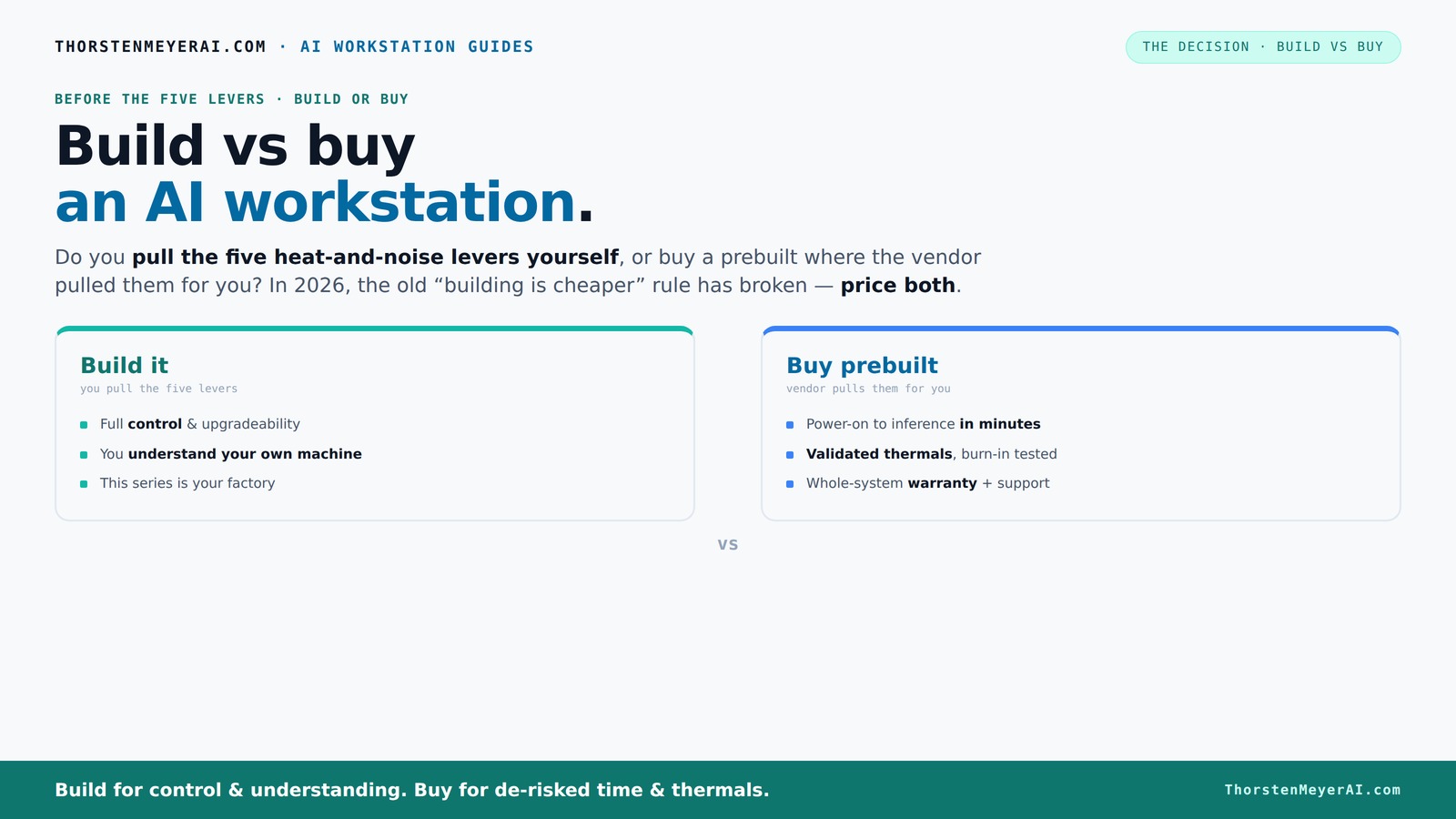
Build vs buy
an AI workstation.
The real question behind this whole series: do you pull the five heat-and-noise levers yourself, or buy a prebuilt where the vendor pulled them for you? And in 2026, the old “building is cheaper” rule has broken. Match your situation in Part 3.
Key Takeaways
- In 2026, prebuilt AI workstations often match or beat DIY costs due to component shortages and bulk buying.
- Building offers maximum control, customization, and potential savings if you enjoy hardware tinkering.
- Prebuilts provide validated thermals, support, and fast deployment — ideal for professionals and teams.
- Always compare the exact price for your specific configuration before deciding, considering current market volatility.
- Component choice, warranty, and upgradeability are key factors that tip the scale toward one option or the other.
As an affiliate, we earn on qualifying purchases.
Why Building Your Own AI Workstation Is Still Worth It (If You Have the Time)
If you love tinkering or want maximum control, building your own AI workstation offers unmatched customization. You pick every component — from the GPU to the cooling system — and tune everything for peak performance.
For example, you might choose a quiet GPU like the NVIDIA RTX 4090 with low-noise fans, undervolt it, and set up a custom airflow system. That way, your machine stays cool and quiet even during long training sessions. Plus, you learn a ton about hardware that can help you troubleshoot or upgrade later.
Building is also cheaper if you’re willing to source parts, wait for sales, and do the assembly. But beware — recent shortages mean some parts, especially high-end GPUs, are more expensive or harder to find than ever. This can lead to a tradeoff: the control and potential savings might be offset by delays or inflated prices, especially during supply crunches. The ability to customize can also mean optimizing for specific workloads—like choosing a GPU with more VRAM for large models—which can significantly improve performance but requires knowledge and effort to select correctly.
As an affiliate, we earn on qualifying purchases.
When Prebuilt AI Workstations Save You Time and Headaches
If your priority is getting up and running fast, prebuilts are a lifesaver. They arrive ready to plug in, with all the software stacks (CUDA, TensorFlow, Docker) already installed and tested.
Companies like Lambda and Puget Systems validate thermal performance, run stress tests, and tune fan curves before shipping. This process not only ensures reliability but also minimizes the risk of hardware failures or thermal throttling during intensive workloads. This validation is crucial because it guarantees that the system can handle sustained AI tasks without overheating or underperforming, which is often a concern with DIY builds that may lack comprehensive testing.
Plus, prebuilts include warranty and support, making them ideal for busy professionals or teams that need reliable, “it just works” systems. The support services often include troubleshooting, quick replacements, and updates, which can significantly reduce downtime. This support network is especially valuable when dealing with complex hardware or when quick recovery from issues is necessary for project deadlines. It also means less time spent diagnosing problems, allowing you to focus on your AI tasks rather than hardware issues.
As an affiliate, we earn on qualifying purchases.
Cost Comparison: When Does Build Save Money — Or Not?
| Build a DIY | Buy a Prebuilt |
|---|---|
| Lower component markup, but time-consuming | Higher up-front cost, but includes validation and support |
| Risk of component shortages and price spikes | Bulk buying reduces costs, sometimes beating DIY |
| Requires technical skill and effort | Plug-and-play, minimal setup |
In 2026, the gap between DIY and prebuilts has narrowed or even flipped. A custom build that used to cost around $1,250 now often matches or exceeds prebuilt prices due to component scarcity and high demand for GPUs and RAM. This shift is driven by the fact that supply chain disruptions have made individual components more expensive and less predictable, reducing the cost advantage of DIY. Additionally, prebuilt vendors leverage bulk purchasing and testing to offer systems at competitive prices, sometimes even undercutting DIY costs when factoring in the time and effort required to assemble and troubleshoot a custom build. Therefore, the traditional cost savings of DIY are less reliable today, emphasizing the importance of thorough cost analysis tailored to your specific configuration and market conditions.
Always run the numbers for your specific configuration before deciding. Sometimes, the convenience and reliability of a prebuilt system outweigh the savings of DIY, especially with the current market volatility and component shortages that can inflate individual part prices or cause delays.
As an affiliate, we earn on qualifying purchases.
What Matters Most for AI: Components That Make a Difference
Your AI workload demands specific hardware choices. GPU VRAM is king — aim for at least 24GB for large models. RAM should be 64GB or more for complex training, and a fast NVMe SSD keeps data flowing smoothly.
When building, you can select a quiet GPU like the RTX 4090 or AMD’s MI250 for AI acceleration, and pair it with a robust power supply that offers plenty of headroom.
Choosing the right components directly impacts your system’s ability to handle large datasets, complex models, and long training sessions without bottlenecks. For more insights, visit thepuppystore.net for related hardware tips. For instance, a GPU with insufficient VRAM can limit the size of models you can train, forcing you to simplify or split tasks, which reduces efficiency. Similarly, inadequate RAM can bottleneck data loading, slowing down training. High-quality, reliable power supplies and cooling solutions ensure stability during prolonged workloads, preventing crashes or thermal throttling that can ruin training runs or damage hardware. Therefore, investing in the right components isn’t just about raw specs; it’s about ensuring your system sustains high performance and durability over time, which ultimately affects your productivity and project success.
Support, Warranty, and Upgradability — Why They Matter
Prebuilts come with support plans, warranties, and often a dedicated team ready to troubleshoot. If a GPU fails or the system crashes during a long AI training run, your warranty covers repairs or replacements. This support can be a lifesaver when hardware issues threaten to derail your project timeline, especially if you're running critical workloads or managing multiple systems.
Building your own offers flexibility but leaves you responsible for repairs, driver updates, and troubleshooting. Upgrading components later is easier with standard parts, but proprietary OEM layouts can complicate things. This means that while DIY might offer more upgrade options, it also requires more technical skill and time investment to maintain system stability and performance over the long haul.
If you prioritize peace of mind, minimal downtime, and reliable performance, prebuilts are generally safer. For hobbyists and advanced users who enjoy tinkering, DIY provides more upgrade paths, but with the added responsibility of ongoing maintenance and troubleshooting. The choice depends on your comfort level with hardware management and how critical uptime is for your work.
When Does It Make Sense to Build, and When Is Prebuilt Better?
- Choose to build if you have the time, enjoy the process, and want total control over every component. It’s ideal if you’re on a tight budget or want to learn about hardware. Building also allows you to tailor the system precisely for your workload, potentially squeezing out performance gains that prebuilt systems might not optimize for.
- Opt for a prebuilt if you need a system fast, want support, and prefer a machine that’s been tested for thermal and workload stability. Prebuilts reduce the risk of assembly errors and provide peace of mind through warranties and support, which can be crucial for professional environments or time-sensitive projects.
- In 2026, component prices and shortages mean always compare the exact costs for your configuration. Sometimes, the prebuilt wins even on price, especially when considering the time saved and the reduced risk of compatibility issues.
- Remember, the decision isn’t just about money — it’s about control, support, and risk. The right choice balances your technical skills, time availability, and how critical system uptime is for your work.
Frequently Asked Questions
Is a prebuilt AI workstation worth the extra cost?
For many, yes. A prebuilt saves time, reduces setup risk, and comes with support. If your budget allows, it often offers better thermal validation and warranty coverage, especially under heavy AI workloads.
When does building your own make more sense than buying prebuilt?
If you enjoy hardware tinkering, want maximum control over components, or are on a tight budget, building can be more cost-effective. Just be prepared for the time investment and potential troubleshooting.
How much money can I save by building?
It varies. In 2026, component shortages and market prices mean the savings are less certain — sometimes prebuilts are cheaper or equal in price. Always run the numbers for your specific parts and configs.
What components matter most for AI workloads?
GPU VRAM (aim for 24GB+), high-capacity RAM (64GB+), fast NVMe SSDs, and a reliable power supply are crucial. Proper cooling and airflow also help maintain performance during long training runs.
Are prebuilts easier to upgrade later?
Generally yes, if they use standard parts. However, some OEM prebuilts include proprietary connectors or layouts that complicate future upgrades. Check component compatibility before buying or building.
Conclusion
Choosing between build and buy isn’t just about saving a few dollars anymore. It’s about what you value — control, speed, support, or peace of mind.
In this market, a well-chosen prebuilt can be your best friend, getting you into your AI projects faster and with fewer headaches. But if you love hardware and want to customize every watt and degree, building remains a rewarding challenge.
Remember, the best system is the one that fits your workload, your skills, and your schedule. So, weigh the tradeoffs carefully — and get ready to make your AI dreams real.