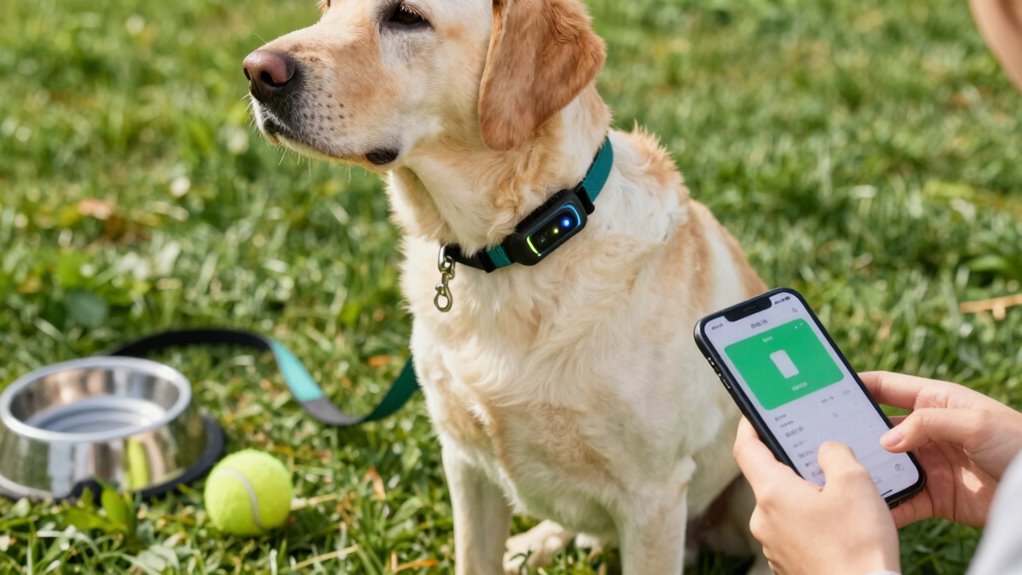

Constantly having your dog’s GPS active, enabling frequent location updates, or leaving features like live tracking on all the time can quickly drain your tracker’s battery. Failing to manage these settings or neglecting regular maintenance accelerates power loss. Your habits matter—turning off unnecessary features and practicing smart usage can extend battery life. Keep in mind, understanding these habits helps you preserve your device’s performance for longer. Want to learn more about optimizing your dog tracker’s battery?
Open a free Amazon Business account
Business pricing, bulk buying and tax-exempt orders.
As an affiliate, we earn on qualifying purchases.
Key Takeaways
- Constantly enabling live tracking and frequent location updates significantly increase battery drain.
- Using high-power features like real-time notifications and activity zones accelerates battery depletion.
- Poor collar fit, grime, or debris impair sensors, causing the device to work harder and drain more power.
- Neglecting firmware updates and device maintenance reduces battery efficiency over time.
- Keeping GPS active indoors or in low-activity areas unnecessarily consumes power, shortening device uptime.
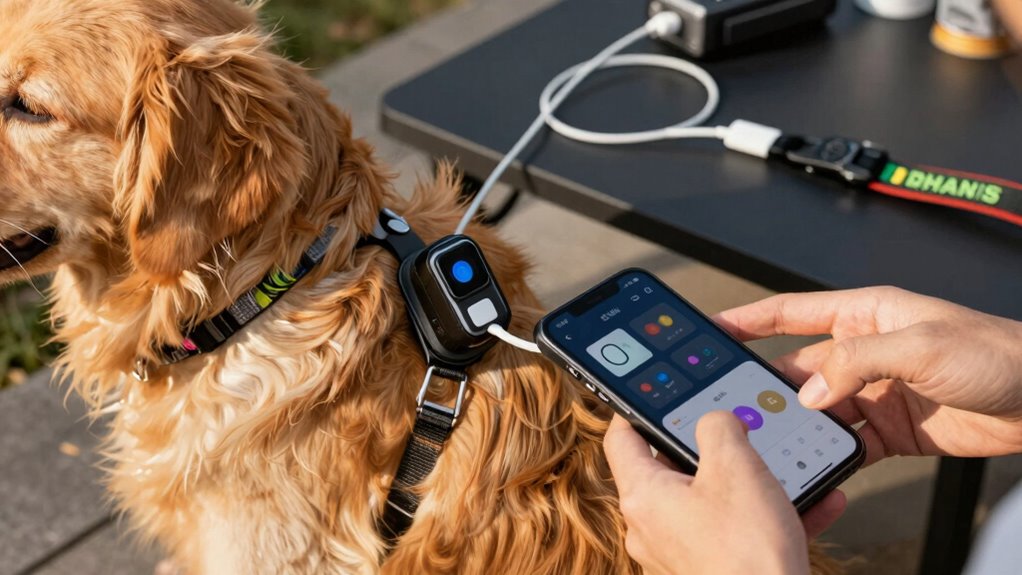
When choosing a dog tracker, understanding its battery life is essential, because a longer-lasting battery means less frequent charging and more reliable monitoring. Many pet owners overlook how daily habits can considerably impact a tracker’s battery, leading to unexpected power drain. To maximize your device’s uptime, you need to be aware of factors that affect battery optimization and how power consumption varies with usage patterns.
One common mistake is leaving location services constantly active. While real-time GPS tracking provides accurate updates, it’s also a major drain on the battery. If your tracker doesn’t have an intelligent power-saving mode, keeping GPS on all the time can drastically reduce its lifespan. Instead, consider switching to periodic updates or setting activity zones, which can help conserve power without sacrificing essential monitoring. This way, you’re actively managing power consumption rather than letting it drain unnecessarily.
Avoid keeping GPS on constantly; use periodic updates or activity zones to conserve battery life efficiently.
Another habit that depletes your dog tracker’s battery is overusing features that demand high energy. For instance, enabling live tracking, frequent location updates, or activating push notifications for every movement can cause a rapid decrease in battery life. Be strategic about when you use these features. Use them only when needed, such as during outdoor walks or in unfamiliar areas. When your dog is at home or in a familiar environment, switch to less frequent updates or turn off some features temporarily to optimize battery life.
Additionally, neglecting the device’s maintenance can lead to unnecessary power drain. Dirt, debris, or a poorly fitting collar can hinder the device’s sensors or cause overheating, which in turn can increase power consumption. Regularly checking and cleaning your tracker, ensuring the collar fits snugly without restricting airflow, helps maintain battery efficiency. Also, consider the age of your device; older trackers tend to have diminished battery capacity, so replacing the battery or upgrading to a newer model with better battery optimization features might be necessary.
Furthermore, understanding the battery life of dog trackers and how it varies across different models can help you make informed choices when selecting a device. Keep an eye on your device’s software updates. Manufacturers often release firmware updates that improve battery management and reduce power consumption. Installing these updates ensures your tracker runs more efficiently and can help extend its operational time. Practicing mindful habits—like turning off features when not needed and maintaining the device—can greatly prolong the battery life, giving you peace of mind knowing your furry friend is monitored reliably without frequent recharges.
dog tracker with long battery life
As an affiliate, we earn on qualifying purchases.
As an affiliate, we earn on qualifying purchases.
Frequently Asked Questions
How Often Should I Replace the Batteries in My Dog Tracker?
You should replace the batteries in your dog tracker every 1 to 3 months to guarantee peak performance. Regular battery replacement helps maintain the tracker’s lifespan and prevents sudden power loss. Keep an eye on the tracker’s notifications or LED indicators, and avoid habits like frequent outdoor use in bad weather or exposing it to extreme temperatures, which can drain batteries faster. Proper care extends your tracker’s lifespan and keeps your dog safe.
Do Different Dog Tracker Models Have Varying Battery Life?
Different tracker models often have varying battery longevity, like race cars with different engines. You’ll find some models sip power slowly, offering weeks of use, while others guzzle batteries faster. It’s essential to compare specs, as each tracker’s design and features impact how long your device stays charged. So, when choosing a tracker, pick one that fits your lifestyle and keeps your pet connected without constantly hunting for replacements.
Can Temperature Affect the Battery Performance of a Dog Tracker?
Temperature impact definitely affects your dog tracker’s battery efficiency. When it’s too hot or cold, the battery may drain faster or lose its capacity temporarily. Extreme temperatures can cause chemical reactions inside the battery, reducing its lifespan. To keep your tracker working at its best, avoid exposing it to harsh weather conditions, and store it in a moderate environment. This simple step helps guarantee your device stays reliable and lasts longer.
Is It Better to Keep the Tracker on All the Time or Only During Walks?
It’s better to keep the tracker on during outdoor activities and walks. If you turn it off during sleep habits or when your dog is indoors, you conserve battery life. Continuous tracking during outdoor activities helps you monitor your dog’s location and behavior, but turning it off when not needed extends the overall battery life. Balance your usage based on your routines to maximize the device’s performance.
Are There Energy-Efficient Settings to Extend Battery Life?
Yes, you can extend your dog tracker’s battery life by using energy-saving modes and power management features. Activate these settings to reduce GPS and Bluetooth usage when your dog isn’t active or during idle times. Adjust the tracker’s settings to automatically switch to low-power mode during inactivity, helping you conserve energy without sacrificing real-time tracking. Regularly review and customize your tracker’s power options for maximum battery longevity.
dog GPS tracker with power-saving mode
As an affiliate, we earn on qualifying purchases.
As an affiliate, we earn on qualifying purchases.
Conclusion
To keep your dog’s tracker humming and your adventures worry-free, watch those habits that drain the battery like a leaky faucet. Avoid constant GPS updates, disable unnecessary features, and keep it charged when not in use. Think of your tracker as a loyal companion—give it the care it needs, and it’ll stay by your side longer, like a steady heartbeat in the rhythm of your daily life. Keep it healthy, and your bond will stay strong.
As an affiliate, we earn on qualifying purchases.
As an affiliate, we earn on qualifying purchases.
Flea & tick season Picks
flea and tick prevention
As an affiliate, we earn on qualifying purchases.